
Kleki Online Photo Editor & Paint Tool
Kleki online is a free, browser-based drawing and painting tool that gives artists of all levels a simple way to create digital art. It balances handy features with an easy interface, so beginners and experienced artists alike can start sketching in minutes.
It works especially well for fun, cartoon-style art rather than hyper-realistic painting.

Starting Kleki…
What is the Kleki Paint Tool?
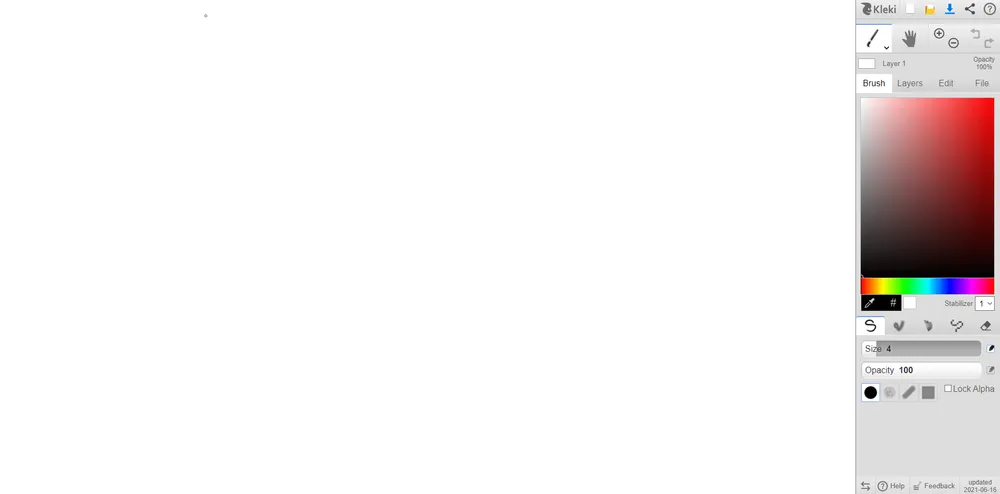
Kleki Paint is a versatile online drawing and painting tool that offers a range of features for artists of all levels. It works especially well if you are looking for cartoon-style art. Instead of focusing on a realistic art style, Kleki's painting focuses more on the fun and cool art style.
You can use different sets of brushes, layers and filters to create and enhance your image. Various options within the app let you add contrast, hues and curves, as well as tweak perspective.
If you are using a touch screen, you are in for a treat as well. This web application can take inputs from various devices like pen, touch, mouse and trackpad.
Key Features of Kleki
How to Use Kleki
Open Kleki
Go to the Kleki website and you will be greeted with the drawing canvas and tool menus.
Import Your File
Use the File menu on the right-side menu and choose the import option to upload the image you want to edit from your device.
Import as Layer or Image
Once you select the file, choose whether to import it as a new layer or as an image.
Edit Your Image
Open the Edit menu on the right and use the provided tools to draw, paint and adjust your artwork.
Save or Share
When you are happy with the result, return to the File menu to save it to your device, or upload and share the image directly.
Features of the Kleki Paint Tool
Kleki is an amazing tool designed to enhance your creativity and take your artwork to the next level. Below are some of the noteworthy features that made us fall in love with it instantly.
- Simple layout. This neat little web app has a fairly simple layout that helps you get started within a few minutes. Whether you are a digital art guru or a complete newbie, the interface is self-explanatory.
- Potential teaching tool. Kleki has everything users need to start creating their very own digital drawings. Thanks to its easy interface and availability as a Chrome plugin, it is a great choice for art teachers.
- Works as a browser extension. The Kleki app is supported not only on Chrome but also on other popular browsers like Firefox, Opera, Microsoft Edge, Brave and Vivaldi.
- Autosave. If your computer accidentally restarts while using Kleki, your work will still be there once you reopen the browser.
- Layers. You can add up to 8 layers and color each layer individually.
- Specific brushes for specific needs. There are 4 different brushes, each customizable by size, opacity, blending and scaling.
- Lots of editing features, including crop/resize, flip, perspective, transform, brightness and contrast adjustment, curves, hue/saturation adjustments, invert, tile shift, triangle blur and unsharp mask.
Pros and Cons of Kleki
Here are some of the things we loved and a few we did not like about Kleki.
Pros:
- Fairly easy to use.
- Perfect for creating graphic arts.
- Beginner-friendly UI.
- Completely free to use.
- Perfect for those who do not have the hardware to run heavy image editing tools.
Cons:
- Supports only up to 8 layers.
- Needs more brush options.
- Cannot crop layers separately.
- Average blending options.
Why Choose Kleki Online?
Kleki Paint is a solid choice for online drawing and painting, especially for those looking for a free and accessible option. It offers a good balance of features and ease of use, making it suitable for both beginners and more experienced artists who want a lightweight tool that runs right in the browser.
Kleki FAQs
Yes. Kleki is completely free to use and runs directly in your web browser with no purchase required.
Kleki supports up to 8 layers, and you can color each layer individually.
Yes. Kleki accepts input from pen, touch, mouse and trackpad, so it works well on touch-screen devices.
No. Kleki has an autosave feature, so if your computer accidentally restarts, your work will still be there when you reopen the browser.
Kleki is best suited for fun, cartoon-style art and graphic drawings rather than hyper-realistic painting.
Yes. Besides being available as a Chrome plugin, Kleki works on browsers like Firefox, Opera, Microsoft Edge, Brave and Vivaldi.











